



Video
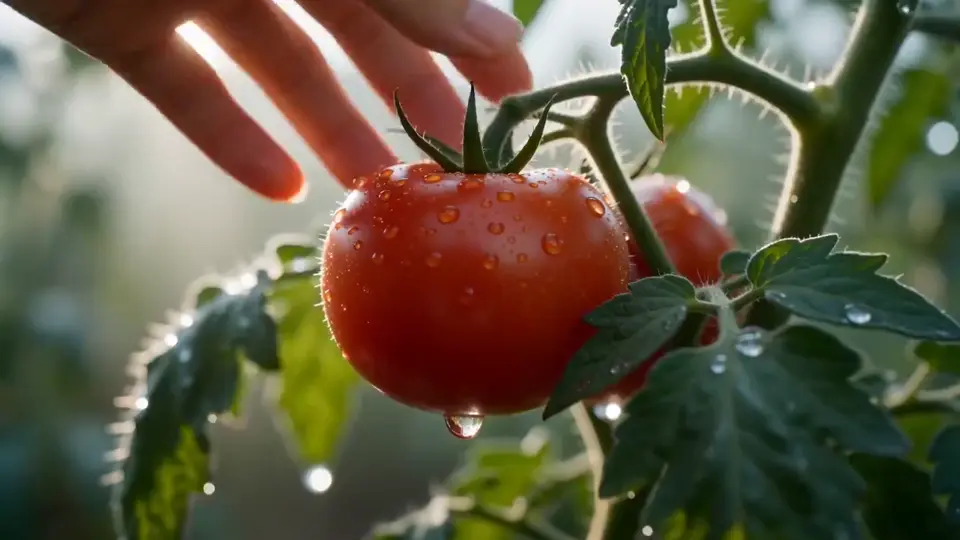
Image to Video
Start from one still frame and let a video model add movement, camera motion and atmosphere while your image keeps the look consistent.
Try Now Hushgen
Upload a photo, describe how it should move, and the selected model animates it into a cinematic clip. Great for product shots, portraits and social posts.
One credit balance works with all of them.
Video models
Models are provided by their developers through licensed API services. Hushgen is an independent platform; model names belong to their respective owners. Disclaimer
AI Tools
Switch to another tool any time. Each one lets you pick from several AI models and uses the same credits.
Start from one still frame and let a video model add movement, camera motion and atmosphere while your image keeps the look consistent.
Try NowDescribe a scene in a sentence or a short script and get back a clip you can refine shot by shot.
Try NowUpload reference images or clips to pin down a character, product or visual style before the model starts generating.
Try NowPick up where a clip ends and add the next few seconds with the same subject, framing and mood.
Try Now Image
ImageWrite a prompt and get thumbnails, product shots, concept art or posters, with Seedream and other image models to choose from.
Try Now Image
ImageChange a background, remove an object or restyle a photo by telling Hushgen what to change in plain words.
Try NowStart from a still image and explain how it should move. Hushgen adds the motion, camera feel and atmosphere, keeping the look of your original picture.
Everything needed to put a still frame in motion, without editing software.
Upload any PNG, JPG, or WEBP image and transform it into a fluid, natural-looking video with AI-generated motion.
Describe the motion in plain text — camera pan, zoom, character movement, or environmental effects — and AI handles the rest.
Choose from several state-of-the-art video generation models to match your quality, style, and speed requirements.
Add background audio to your generated video. Upload an audio file and sync it with the animated output.
Generate videos with multiple shots or scenes from a single image for more dynamic, cinematic results.
Download your animated video in full resolution — ready for social media, presentations, or any professional use.
Upload, describe, download — three steps.
Drag and drop or click to upload any PNG, JPG, or WEBP photo you want to animate.
Write a prompt describing how you want the image to move — camera direction, subject motion, or scene effects.
Your animated video is usually ready in a few minutes. Download it in full resolution and use it anywhere.
From product listings to social feeds, a moving image gets noticed.
Turn static product photos or portraits into eye-catching video posts for Instagram, TikTok, and more.
Animate product images with subtle motion to create engaging e-commerce videos without a video shoot.
Transform existing brand photography into dynamic video ads — faster and cheaper than traditional production.
Bring illustrations, concept art, or portraits to life with fluid, expressive motion.
Add animated visuals to slide decks and pitches to make your content more memorable and engaging.
Animate family photos, travel shots, or personal artwork for a unique, cinematic keepsake.
Choices about the source image and prompt that improve motion quality.
Instead of 'a dog in a park', try 'a golden retriever running through a sunlit park, camera following from behind'. Motion-specific language produces far more dynamic results.
Images with a clear subject against a simple background animate more naturally. Busy or cluttered backgrounds can confuse the AI and produce inconsistent motion.
Add camera direction to your prompt — 'slow zoom in', 'pan left', 'dolly forward'. Camera motion adds cinematic quality and makes the result feel more intentional.
Photorealistic images produce photorealistic animations. Illustrated or stylized images produce stylized animations. Choose your source image with the final look in mind.
Place your main subject near the center of the frame. Edge-heavy compositions can result in the subject being cropped or cut off during animation.
Different models interpret motion prompts differently. Run the same image and prompt through two or three models and compare — the variation can be significant.
Anyone with a good picture who wants it to move — no video skills needed.
Turn static photos into eye-catching video posts for Instagram Reels, TikTok, and YouTube Shorts — without a camera or video editor.
Animate product photos to create engaging video ads and listings that outperform static images in click-through and conversion rates.
Bring your artwork, character illustrations, and concept art to life with fluid, expressive motion.
Transform existing brand photography into dynamic video ads — faster and cheaper than traditional video production.
Add a new dimension to your portfolio by offering animated versions of your best shots — a growing demand from clients.
Scale video content production by animating client photo libraries without the cost and time of traditional video shoots.
Several video models, one credit balance and a simple workflow.
Just upload a photo and describe the motion in plain English. AI handles all the technical complexity.
Most videos finish within a few minutes, depending on the model, length and resolution. Paid plans get priority in the generation queue.
Your prompts and files are processed securely and sent only to the AI model provider that generates your result. We never sell your data.
Credit-based pricing means you only pay for the videos you actually generate — no monthly minimums.
Common questions about turning photos into video.
PNG, JPG, and WEBP formats are supported. For best results, use high-resolution images (at least 512×512 pixels) with clear subjects and good lighting.
Video length depends on the model and duration setting you select. Most models support 3–10 second clips. The available duration options are shown before you generate.
Yes. Use the prompt field to describe the motion you want — for example, 'slow camera pan left', 'hair blowing in the wind', or 'waves crashing'. The more specific your prompt, the better the result.
Output resolution depends on the model selected. Available resolution options are shown in the settings panel before you generate. Higher resolutions cost more credits.
Yes. You can upload an audio file (MP3 or WAV) and it will be synced with the generated video output.
No. The original image is used as a reference only. Each generation creates a new video file — your uploaded image is never overwritten.
Credit cost depends on the model, resolution, and duration selected. The required credits are shown before you generate, so there are no surprises.
Yes. Your prompts and files are processed securely and sent only to the AI model provider that generates your result. We do not sell your data or use it to train our own models. See our Privacy Policy for details.
Paid plans include commercial usage rights and watermark-free output for everything you generate. Free plan outputs include a watermark. See our Terms of Service for details.
Traditional video production requires cameras, lighting, actors, editing software, and significant time and budget. AI image-to-video generates motion directly from a still image in minutes — no equipment, no crew, no post-production workflow.
The best source images have a clear, well-lit subject with a relatively simple background. High contrast between subject and background, good resolution (at least 512×512), and a centered composition all contribute to better animation results.
Motion speed is influenced by your prompt description. Use words like 'slow motion', 'fast', 'gentle', or 'rapid' to guide the pacing. Some models also offer explicit speed or motion intensity controls in the advanced settings.