Edit Images with Professional AI Tools
Transform photos effortlessly with AI-powered editing. Change colors, modify objects, enhance quality, and create stunning variations instantly without complex software.
Precise image editing with SeeDream V4 - clothing, makeup, background replacement, etc.
Tip: Be detailed and specific for better results. Describe the subject, style, lighting, mood, and composition.
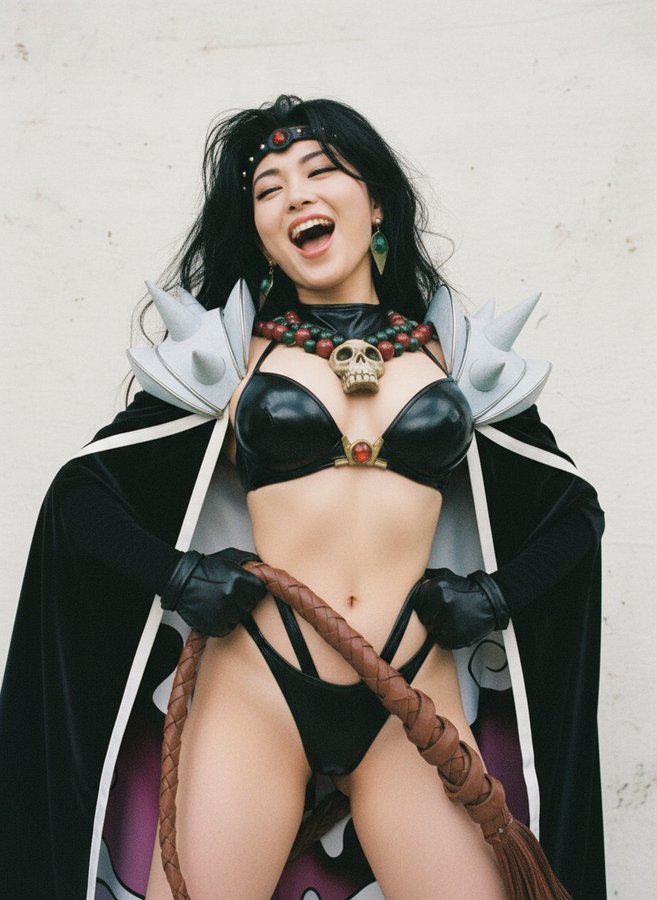
"Portrait with enhanced lighting and background blur"
Example Gallery
See what you can create with image edit
AI Art Gallery Showcase
AI Video Demonstrations
Experience the power of our AI video generation technology. Transform text into dynamic visual stories in seconds.
AI Image Generation Examples
Explore our AI-generated image inspiration wall, created in seconds.


Professional Image Editing Features
Advanced AI tools for perfect photo edits
Intelligent Modifications
AI understands your images and makes natural edits. Change colors, swap objects, and transform elements while maintaining realistic appearance.
Quality Maintained
All edits preserve original image quality and resolution. Results look natural with proper lighting, shadows, and perspective.
Bulk Editing
Edit multiple images simultaneously with the same modifications. Perfect for maintaining consistency across product catalogs or campaigns.
Detailed Control
Specify exact changes you want with text descriptions. AI executes edits precisely while maintaining image integrity.
Brand Alignment
Maintain consistent colors and styling across all edits. Perfect for brands needing uniform visual content.
Fast Processing
Most edits complete in 30-60 seconds. Quick turnaround for urgent projects and high-volume editing needs.
Edit Images in 3 Easy Steps
Professional photo editing made simple
Upload Your Photo
Select any image you want to edit. Supports all common formats including JPG, PNG, and WebP in any resolution.
Describe Your Edits
Tell AI what changes you want. Change colors, modify objects, remove backgrounds, or enhance specific elements.
Download Results
AI processes your edits and delivers professional results. Download immediately and use without restrictions.
Why Use Our AI Image Editor
The power of AI-driven photo editing
No Skills Required
Edit like a professional without learning complex software. Simple text descriptions guide AI to make perfect edits.
Cost-Effective
Replace expensive editing software subscriptions and professional services. Get professional results at a fraction of the cost.
Lightning Fast
Complete edits in seconds instead of hours. Perfect for tight deadlines and high-volume projects.
Realistic Edits
AI maintains proper lighting, shadows, and perspective. Edits look natural and professional, not artificial.
Unlimited Revisions
Make as many variations as needed. Experiment freely until you achieve the perfect result.
Commercial Use
All edited images are yours for any commercial purpose. No restrictions or additional licensing required.
Perfect for Every Editing Need
How professionals use AI image editing
E-commerce Products
Create color variations, change backgrounds, and enhance product photos. Generate multiple options quickly for online stores.
Marketing Materials
Edit campaign images for different channels and audiences. Maintain brand consistency while adapting content.
Social Media Graphics
Quick edits for posts, stories, and ads. Create platform-specific variations from single images.
Fashion and Retail
Change clothing colors, swap accessories, and create seasonal variations. Perfect for fashion catalogs and lookbooks.
Property Images
Enhance interior photos, change wall colors, and modify furnishings. Make spaces more appealing to buyers.
Portrait Editing
Modify outfits, backgrounds, and styling. Create multiple versions for different uses and audiences.
Image Editing Questions
Learn about AI-powered photo editing
What is AI image editing?
AI image editing uses artificial intelligence to modify photos automatically. Describe the changes you want in text, and AI makes professional edits while maintaining natural appearance.
How do I edit my first image?
Upload your photo, write a clear description of the edits you want, then click generate. AI processes your request and delivers professional results instantly.
What edits can be made?
Change colors, swap objects, remove backgrounds, modify clothing, enhance quality, adjust lighting, and more. AI can make almost any visual modification you describe.
What image formats are supported?
Upload images in JPG, PNG, JPEG, WebP, and other common formats. Works with any resolution from social media images to high-res photos.
How accurate are the edits?
AI understands context and makes realistic modifications. Edits maintain proper lighting, shadows, and perspective for natural-looking results.
Can I edit multiple images?
Yes, process multiple images with the same edits for consistent results. Perfect for product catalogs, campaigns, or any bulk editing needs.
How fast is image editing?
Most edits complete in 30-60 seconds depending on complexity. Simple changes like color adjustments process even faster.
How can I get better results?
Use clear, specific descriptions of desired changes. Include details about what to modify, colors to use, and style preferences. More detail produces better edits.
Start Editing Images with AI Now
Transform photos with professional editing tools
Professional Quality Guaranteed